

Your Money Assistant
Ready for iPhone Duo · Apple Pay & Wallet on iPhone
synced across Mac, iPad & iPhone with iCloud
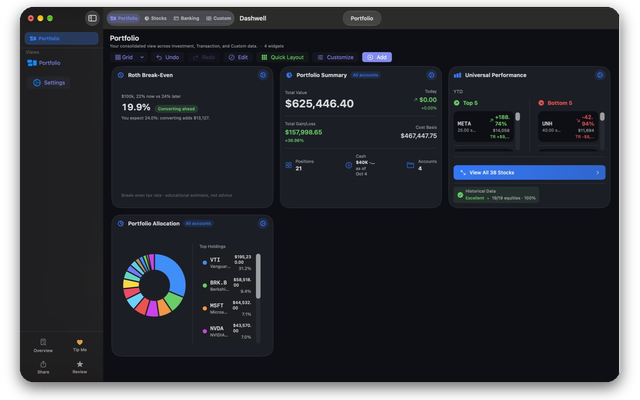
Dashwell brings together everything our apps have offered separately — portfolio tracking, planning tools, banking, and custom CSV dashboards — in one app for every Apple device.
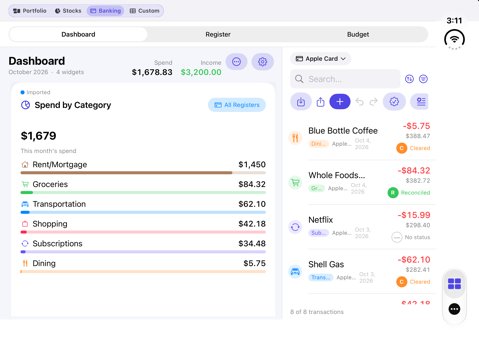
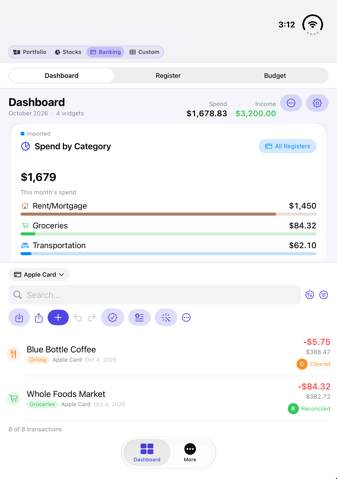
Unfold iPhone Duo and Dashwell uses the whole inner display — two widgets per row, full Register and Budget tables, and room to work. Fold it and you're back to the familiar iPhone layout. Tap any number to see the transactions behind it.
Connect Bank Sync on iPhone to automatically capture Apple Card, Apple Cash, and Savings with Apple activity into Banking mode — using Apple's on-device FinanceKit framework, so nothing leaves your device during capture.
Turn on optional iCloud sync to keep Portfolio, Stocks, Banking, and Custom data aligned across Mac, iPad, and iPhone — off by default, with a single sync status pill and one-tap Sync All. Each device can arrange its own widgets: a wide Mac overview and a compact iPhone glance from the same data.
Import broker CSVs, track tax lots and options, and monitor dividends and earnings — the same tools that power Dashwell Portfolio Creator and DashCSV.
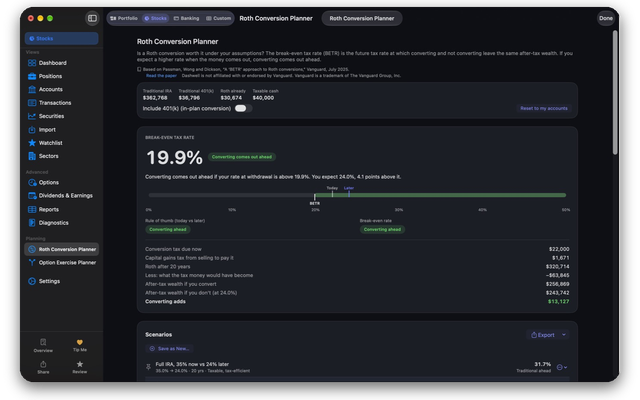
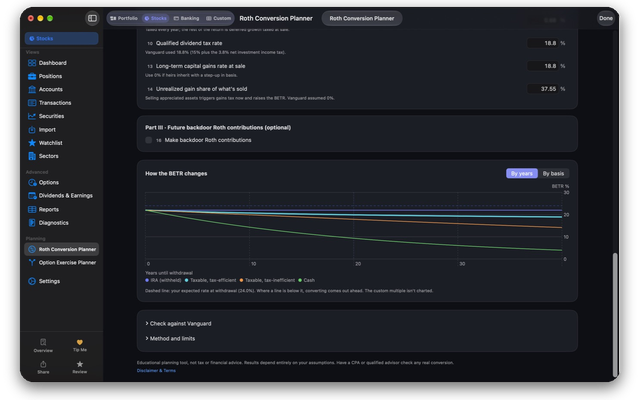
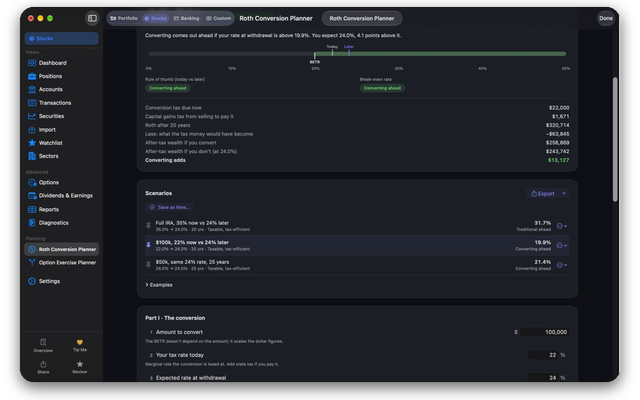
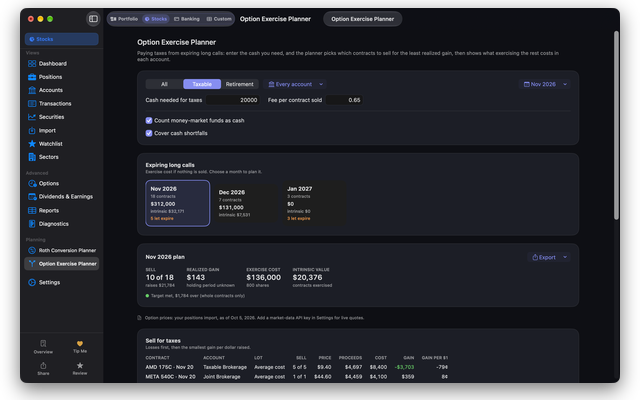
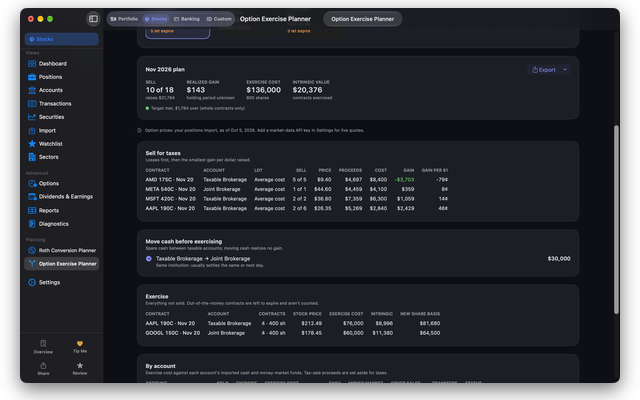
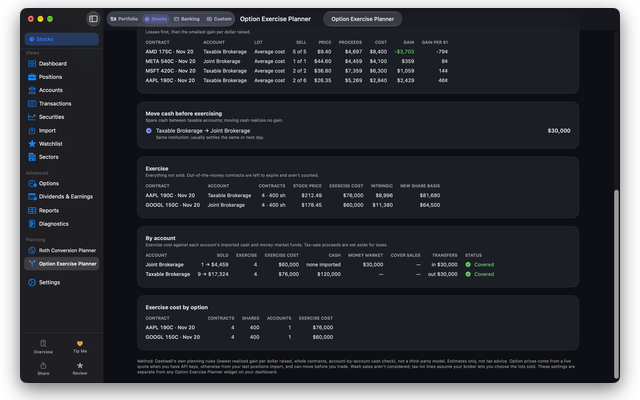
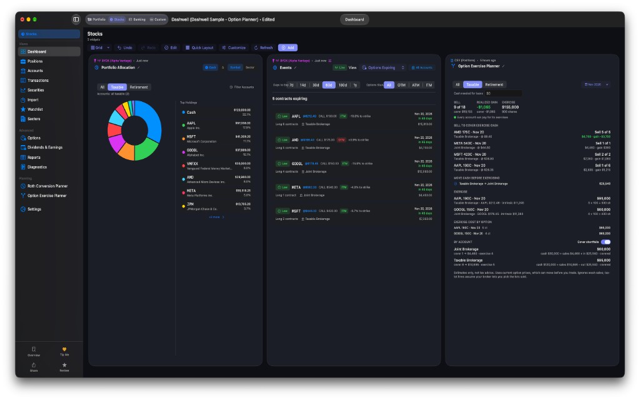
Plan Roth conversions and option exercises with your own numbers. The Roth Conversion Planner finds a break-even tax rate under your assumptions, saves scenarios, and exports CSV, HTML, Excel, or PDF — plus a Roth Break-Even dashboard widget. The Option Exercise Planner helps you choose which expiring calls to sell for tax cash versus exercise. Educational estimates, not tax advice.
A checkbook-style register per account, categorization, and monthly/annual budgets — import any bank or card statement CSV, with Apple Card exports auto-detected.
Turn any CSV or Excel file into its own dashboard — inventories, collections, project trackers, and more — included at no extra cost.
All data stored locally on your device. Apple Wallet capture happens entirely on-device via FinanceKit — Dashwell never sees or transmits it.
Already use Dashwell Portfolio Creator or DashCSV? On Mac, portfolio, Custom Modes, and API keys copy over automatically on first launch. On iPad and iPhone, open your saved .findash or .dashcsv file (AirDrop, Files, or Import).
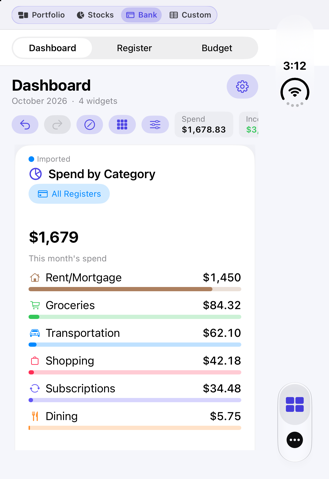
Ready for iPhone Duo — unfold for a full dual-pane workspace, fold for the familiar iPhone layout.
Dashwell uses the whole inner display: two widgets per row, full Register and Budget tables, and room to work side by side — dashboard and transactions without switching views.
Fold iPhone Duo and you're back to the compact iPhone layout you already know — same data, same Bank Sync, just one screen at a time.
Tap a spend total or category to drill into the register entries that make it up — so every figure on the dashboard stays accountable.
Also in recent releases: Roth Conversion and Option Exercise planners under Stocks → Planning. See the User Guide for details.



Need help or have questions? We're here for you.
or email info@dashwellsolutions.com